
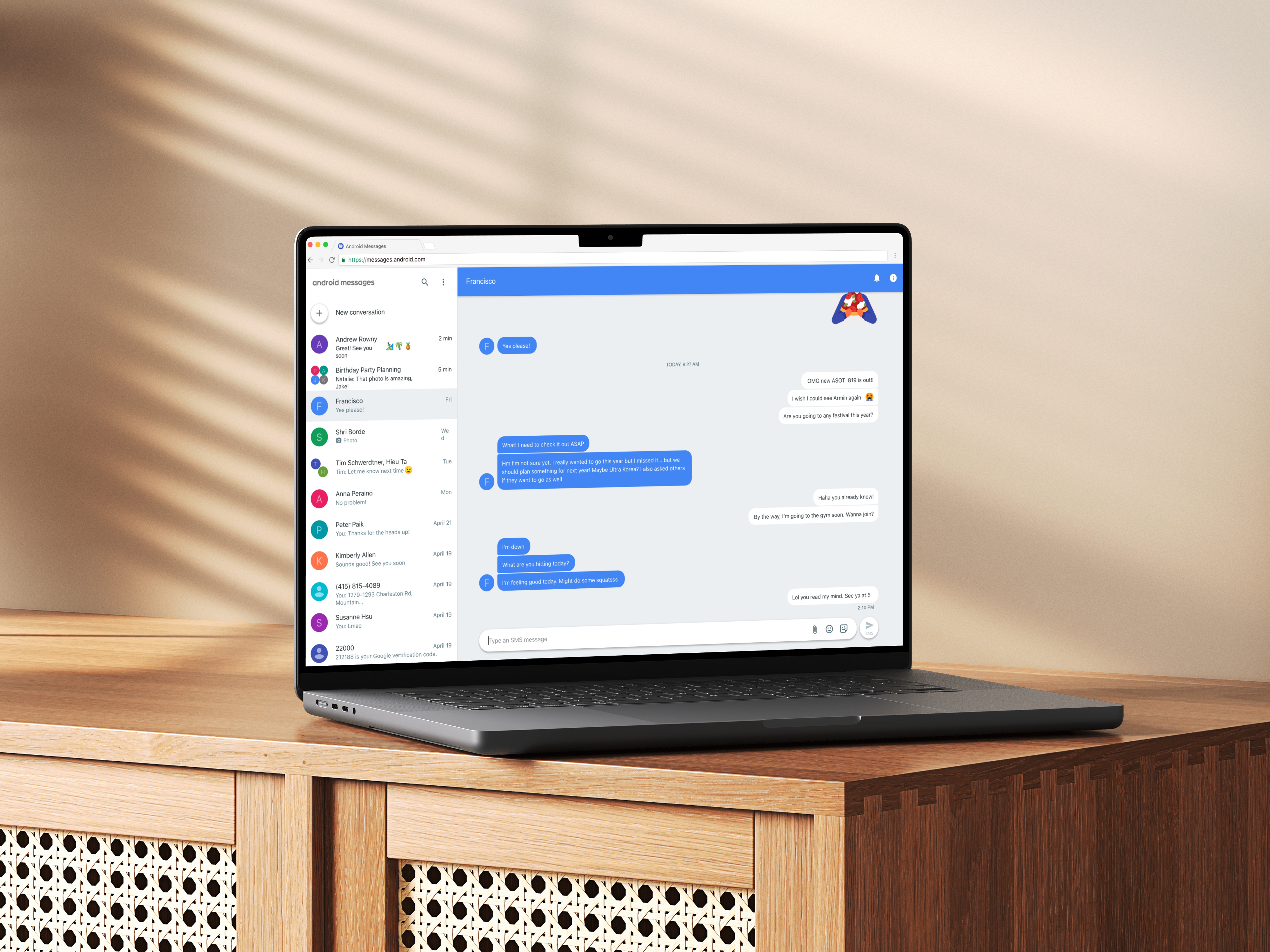
Messages for Web
- Role
- Sole Designer
- Timeline
- 2017 – 2018
- Platforms
- Web & Android
- Related public release
- Google Messages for web
Condensed case study
This page highlights the core story, decisions, and outcomes. Additional context, artifacts, and detailed process can be shared in a live walkthrough. Reach out to schedule a conversation.
By the numbers
- —1.36M 28-day active users on Messages for Web
- —140K+ new users brought to Android Messages
- —1.7M messages sent in a single day
- —Featured on The Verge, TechCrunch, and CNET
Overview
Android Messages is the default texting app on Android phones. Messages for Web is the browser-based client paired with it, so people can text from their computer. I was the sole designer on it and owned the product end to end: UX, visual design, and prototyping.
The problem
Unlike iMessage, Android Messages had no desktop version, even though it was the default texting app on Android. It was the single most requested feature from Android Messages users, who wanted to keep a conversation going without reaching for their phone.
The challenge
I had to adapt a mobile-first product to the desktop while keeping Android Messages' own personality, rather than simply inheriting the existing Allo for Web framework. That meant responsive layouts and attachment UI for a larger screen, a sign-in flow that could hand-hold people through QR pairing, and coverage for a range of edge cases.
Goal and principles
The goal was a complete desktop experience: base layout, QR code pairing, attachments UI, and message creation. People needed a simple, intuitive sync between phone and computer so they could multitask, send links, photos, and documents easily, and keep texting when their phone was low on battery.
Four principles guided it: a seamless sync that prioritizes familiarity and simplicity, adaptive features that use the extra desktop real estate, an easy and engaging way to switch windows and send attachments, and giving people control over screen size, keyboard shortcuts, and notifications.
QR code pairing
For V1 we built a phone relay model using a QR code. Because Android Messages identifies people by phone number rather than a Google account, the web client needed QR pairing to recognize who you are. The phone stays the source of truth and the web client is essentially a shell that displays and composes messages. I collaborated with the Allo designers to learn from their QR flow.
The real risk was onboarding people who had never scanned a pairing code before, so I focused on a hand-holding experience that expressed Android Messages' clean, bubbly personality. In most cases people arrive from a push notification or an in-app promo banner that takes them straight to the QR sign-in screen.
Usability testing validated the direction: 7 of 8 participants paired successfully without any prompting. Two findings shaped the refinements. People did not recognize the name “Android Messages” even though they used it daily, and some thought they needed a separate app to scan the code. In response I added the Android Messages logo next to the instructions, a “Need more help?” dialog with extra visual steps, and a “remember this computer” option, and on mobile I made the promo banner more visible and animated the illustration to clarify the scanning flow.
Outcome
Messages for Web reached 1.36 million 28-day active users and helped bring in more than 140,000 new Android Messages users, with 1.7 million messages sent through it in a single day. The launch was featured across more than five tech outlets, including The Verge, TechCrunch, and CNET.